Backup & Disaster Recovery Buyer Guide for Better Service Visibility
Key Takeaway (TL;DR)
Backup & Disaster Recovery Buyer Guide for Better Service Visibility A Backup & Disaster Recovery Buyer Guide for Better Service Visibility is essential for any organization facing the reality that standard backup tools
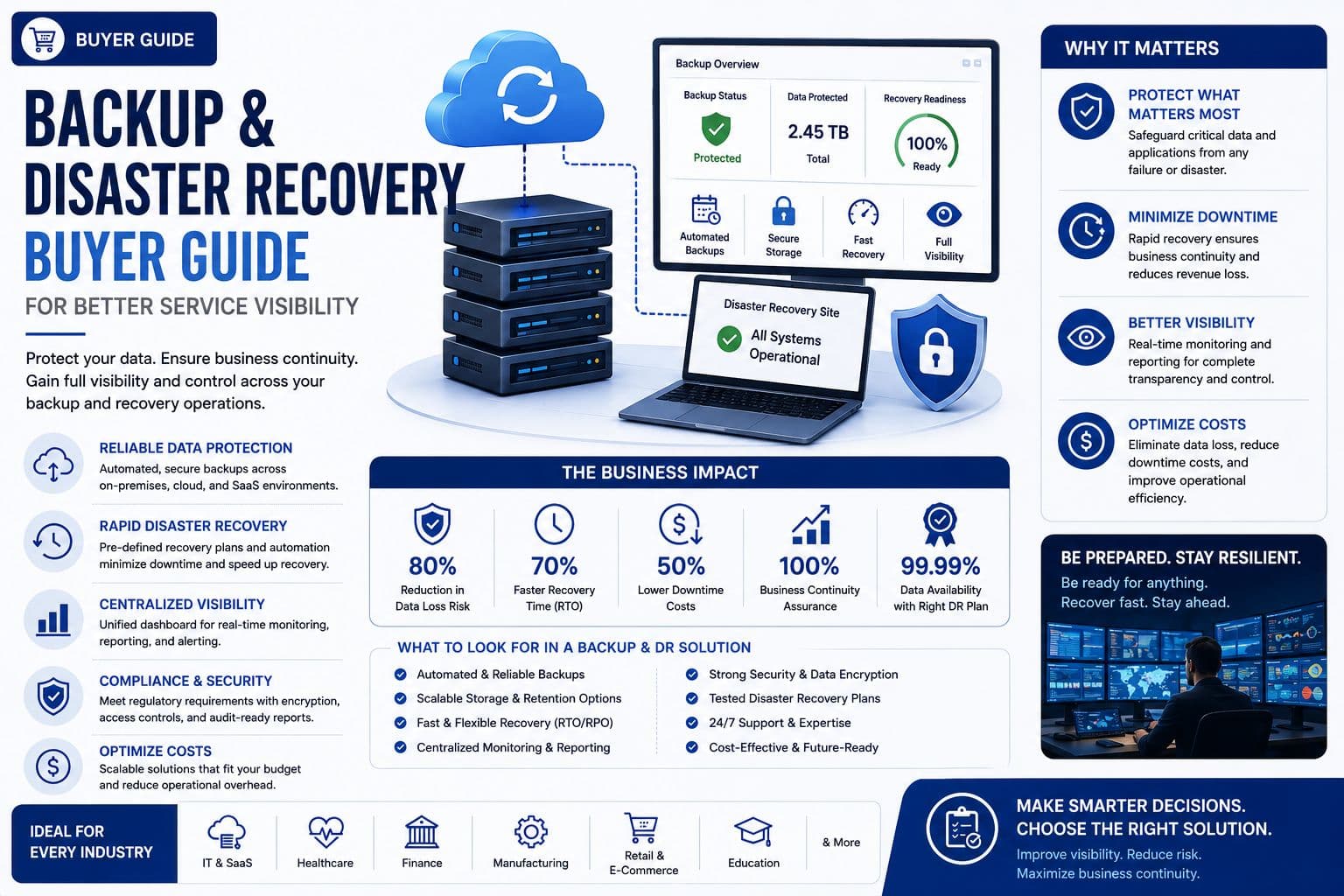
A Backup & Disaster Recovery Buyer Guide for Better Service Visibility is essential for any organization facing the reality that standard backup tools no longer provide the operational clarity needed for modern hybrid infrastructure. In live production projects, we observed that teams often purchase backup solutions based on feature checklists, only to discover during the first failover test that the dashboard metrics don't reflect actual recovery performance. This lack of visibility becomes a critical delivery risk because it creates a false sense of security while masking underlying capacity and configuration issues.
What Service Visibility Means for Backup and Recovery
Service visibility in the context of backup and disaster recovery means having an accurate, real-time understanding of what is protected, how long recovery will take, and whether the recovery objectives are actually achievable under current conditions. Most buyer guides focus on storage capacity or the number of supported endpoints, but they consistently overlook the operational truth that data growth patterns shift unpredictably. One non-obvious detail that teams frequently miss is that backup windows become unreliable when cross-domain dependencies exist, such as a database that relies on an application server cluster, because the overall recovery process is only as fast as the slowest component in that chain.
What Actually Happens in Live Backup and Recovery Projects
In real-world projects, the gap between the buyer guide promises and the production environment becomes apparent during the first scheduled recovery drill. We frequently see that original recovery time objectives are calculated during the proof-of-concept phase using ideal conditions, but the actual failover to secondary cloud infrastructure takes twice as long because of network latency or because the backup software is not properly integrated with the orchestration layer. A common misunderstanding is that simply purchasing a more expensive enterprise tool automatically solves scheduling conflicts, yet we have seen shrunken backup windows cause failed job runs that go unnoticed until it is too late. The most dangerous pattern we observe is when an organization's backup reports show "successful" completion, but the logs reveal that the job only backed up metadata and skipped the actual virtual machine disks due to a minor permission misconfiguration.
Mistakes and Risks in Backup and Disaster Recovery Selection
The primary mistake teams make is treating backup as a standalone storage purchase rather than an integral part of the software delivery and release management process. This creates a substantial risk when new application versions are deployed because the devops pipeline often lacks a formal checkpoint to ensure the updated code is compatible with the existing backup agents and snapshot mechanisms. Another failure pattern arises from assuming that all cloud providers handle backup portability the same way, whereas in reality, an image-based backup from one hypervisor frequently breaks when restored to a different cloud infrastructure provider. The boundary where a backup approach stops scaling is typically around the fifty-terabyte mark, where traditional single-server backup repositories become bottlenecked, and the recovery process requires a distributed architecture that many buyer guides never even mention. Governance and compliance requirements add another layer of complexity, as data residency rules might dictate that backup copies remain within a specific geographic region, which can conflict with a global disaster recovery strategy.
Need Bringmark's engineers to implement this for you?
Get a free 30-minute architecture & growth review tailored to your stack.
How to Decide on the Right Backup and Recovery Partner
When your team is evaluating a backup and disaster recovery solution, the decision must shift from a simple feature comparison to a validation of the vendor's ability to deliver true service visibility. The first filtering criterion should be whether the tool can provide a single pane of glass for both on-premises and cloud environments, and whether it can accurately predict recovery time based on real-time data characteristics rather than static estimates. Teams should also probe for the solution's approach to immutable backups, since a security or ransomware event will directly threaten your recovery ability, and you need to know if the vendor's architecture can withstand such an attack vector. Another operational consideration that is often overlooked is how the backup solution handles the periodic testing of recovery procedures; the buyer guide must clearly indicate whether automated testing is supported or if manual QA testing cycles and workload simulations are required. For multi-disciplinary environments where the same infrastructure team manages databases, virtual machines, and Kubernetes clusters, bringmark becomes relevant as a partner that understands these cross-domain execution risks and can help translate the technical requirements into a production-hardened solution. The final decision boundary should be based on the vendor's ability to define a clear workflow dependency matrix that maps your critical applications to their underlying dependencies, ensuring that any recovery sequence respects the application's start order requirements.
FAQ
q: What is the difference between a backup and disaster recovery plan?
a: A backup is a copy of data used to restore individual files or databases, while a disaster recovery plan is a comprehensive strategy that includes processes, procedures, and technology to restore an entire IT environment after a major disruption.
q: How often should I test my backup and recovery procedures to ensure they work?
a: Regular testing is critical, but the frequency depends on your business risk tolerance; a common mistake is testing only annually and finding that automation scripts are broken and critical playbooks are outdated by the time a real event occurs.
q: Does the cloud automatically ensure my backup and recovery is secure and compliant with regulations?
a: No, cloud providers operate on a shared responsibility model, and leaving default backup configurations in place often leads to a false sense of security that can cause a major compliance issue during an audit or a ransomware event.
q: What is the best way to choose a backup vendor for a hybrid infrastructure running critical workloads?
a: The best approach is to prototype your actual recovery workflows using your own performance metrics and data sets, as vendor demos cannot replicate your scale or dependency chain; this validation process should be part of any purchase decision where production readiness is a requirement.
The core engineering, AI, cloud, and product development team at Bringmark Private Limited. We architect and operate production SaaS platforms, enterprise web applications, and resilient cloud infrastructure.