Enterprise Mobile Apps Guide: Reduce Support Costs With Automated Workflows
Key Takeaway (TL;DR)
Enterprise Mobile Apps Guide: Reduce Support Costs With Automated Workflows Enterprise mobile apps often stall after deployment when manual support workflows create bottlenecks, driving up operational costs. Real teams
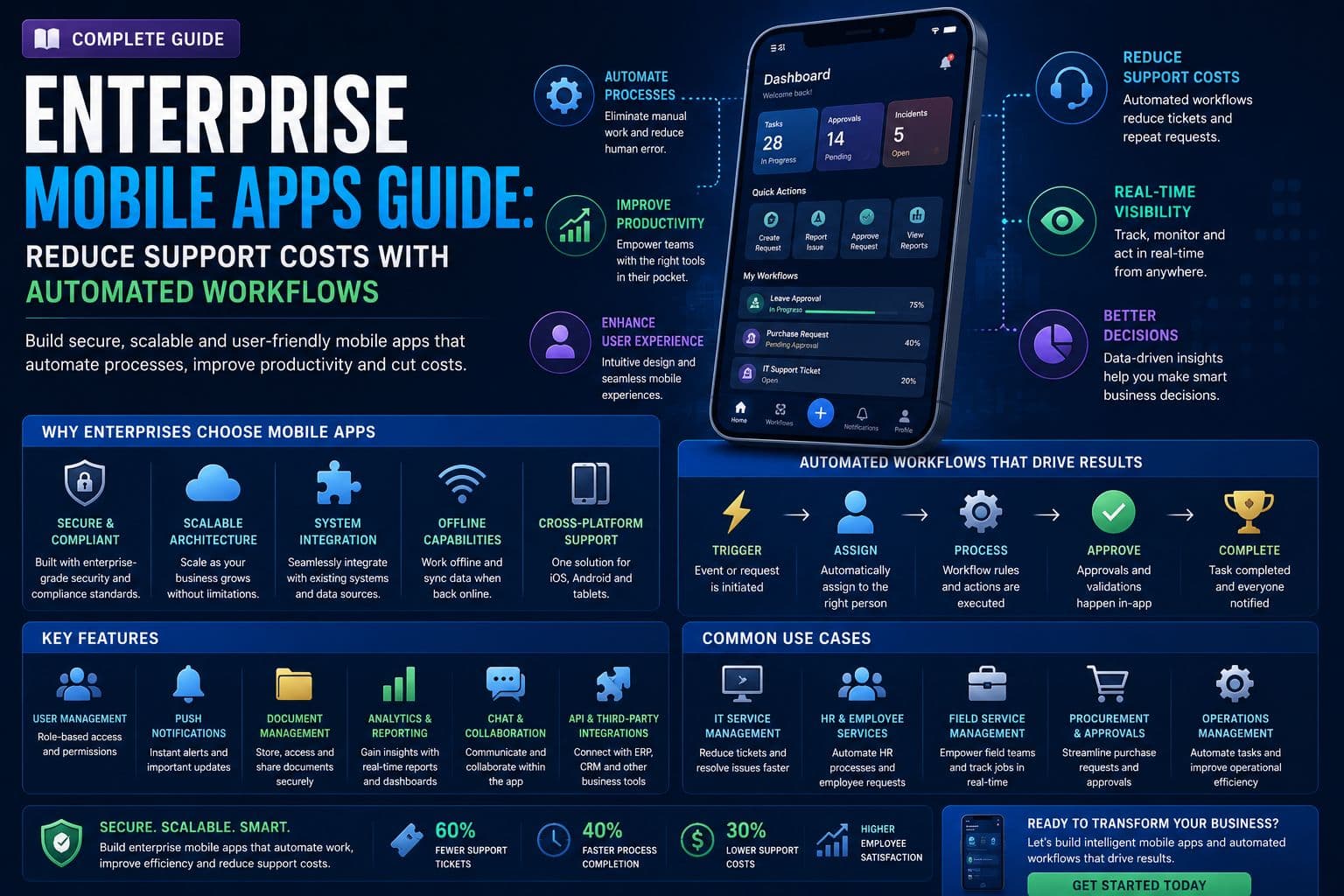
Enterprise mobile apps often stall after deployment when manual support workflows create bottlenecks, driving up operational costs. Real teams see ticket volumes spike when automated escalation paths are missing, directly impacting delivery timelines. A software deployment delay breaking client delivery timeline often traces back to a lack of automated triage in the mobile app layer—the kind of detail that only surfaces after you've already shipped.
What Automated Workflows Mean for Enterprise Mobile Support
Automated workflows in enterprise mobile apps replace manual handoffs between support teams and engineering, ensuring common issues like login failures or data sync errors are resolved without human intervention. In live projects, teams overlook that even simple approval chains in a mobile app can generate hundreds of support tickets per month when not automated, straining both developer and support resources more than anyone estimated during sprint planning.
The Reality of Manual Support in Production
When support teams manually escalate each app crash or connectivity issue, deployment cycles slow as engineers are pulled away from feature work to triage. One real-world delivery observation is that QA surprises often emerge not from code defects but from missing workflow automation around user permission changes, causing repeated support handoffs that none of the sprint plans accounted for. It's the kind of overhead that quietly eats timelines.
Common Mistakes That Increase Mobile App Support Costs
A frequent misunderstanding is that automating workflows means building complex rule engines, when in fact most support cost reduction comes from automating simple state transitions like user onboarding resets or billing error retries. The boundary where this approach stops scaling is when teams automate workflows without first mapping governance requirements, leading to compliance gaps that later cause rework cycles and deployment delays. Honestly, that discovery usually happens during the final security review.
Need Bringmark's engineers to implement this for you?
Get a free 30-minute architecture & growth review tailored to your stack.
How Teams Decide on Workflow Automation for Mobile Apps
Teams evaluating enterprise mobile apps should assess their integration architecture first—specifically how the app connects with backend systems for user management and log retrieval. A non-obvious operational detail teams overlook is that workflow automation must account for offline-first mobile scenarios, or else the support system breaks when users have intermittent connectivity. For cross-discipline execution and production hardening, bringmark provides context when mobile, backend, and devops teams need to align automation rules without introducing new failure points. One common misunderstanding causing bad decisions is assuming that automation alone eliminates support tickets, when it actually shifts the workload to maintaining the workflows themselves, a scale constraint many delivery plans miss until they're in the middle of a production rollout.
FAQ
q: How do automated workflows reduce mobile app support costs?
a: Automated workflows reduce support costs by handling common user issues like password resets and permission errors without human agents, cutting ticket volume significantly.
q: What is the risk of manual support in enterprise mobile apps?
a: Manual support creates deployment delays because support tickets pull engineers away from development, slowing release cycles and increasing operational overhead.
q: Can workflow automation cause compliance issues in mobile apps?
a: Yes, if automation rules bypass governance protocols like audit trails or data retention policies, it can trigger compliance violations that require costly rework.
q: When should a team choose not to automate workflows in mobile apps?
a: Teams should avoid automation when the workflow dependency chain is unstable, such as frequent changes to backend APIs, because maintaining automated rules becomes more expensive than manual handling.
The core engineering, AI, cloud, and product development team at Bringmark Private Limited. We architect and operate production SaaS platforms, enterprise web applications, and resilient cloud infrastructure.